
Get more customers with WhatsApp
The most affordable Business WhatsApp at Rs 300 per month
• Bulk WhatsApp Messaging Campaigns
• Send Automated Message Templates
• Track Agent’s Performance Easily




Is WhatsApp Good For Small Businesses?
seamless communication features. It enables direct customer engagement, personalized support, and
effortless transactions, all within a familiar messaging platform. WhatsApp, once linked with your Heyo
number, has features like multi-user chats, interactive messages, agent transfer, 1000 free credits,
automated message templates, calling option and a lot more.
WhatsApp Business Account (WABA) Features on Heyo Phone App
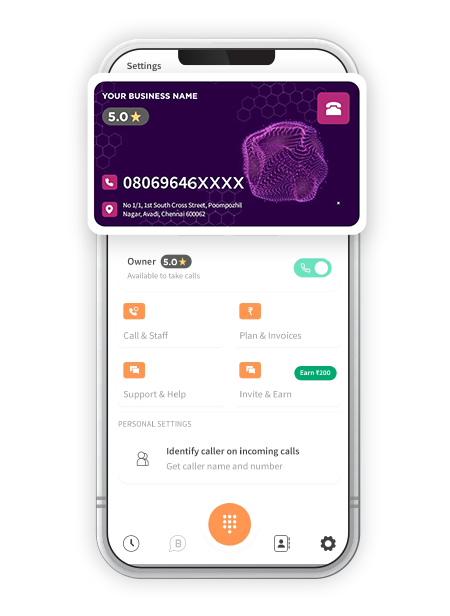
Shared Inbox
The Admin can share the inbox of their WhatsApp Chat with multiple Agents for smoother customer interactions.
Multi-Agent Chat
The Admin can assign chats to multiple Agents for smoother and more precise responses to the users
Interactive Message
Engage with customers easily through personalized messages within the chat interface for an interactive experience.
Bulk WhatsApp Campaigns
Setup and run bulk WhatsApp Campaigns in the Heyo Phone App while keeping an easy track on your daily quota of messages
Agent Transfer
Re-assign chats to other agents or pick up a conversation from the unassigned stage easily to interact and respond to customers quickly.
Click To Call From Dashboard
Heyo Phone offers a direct call option with a single click from the WhatsApp Business Dashboard.
Free Chat Up To 24 Hours
Once the conversation begins, you can message the same customer for free for up to 24 hours without additional cost.
1000 Free Service Conversations
You will receive 1000 free credits for conversations. Recharge your credit balance anytime with a minimum payment.
Everyday 1 million+ local business enquiries are made on Heyo. Are You Missing Out?



Why Choose WhatsApp For Small Business?
10X More Leads
Get more customer enquiries with a professional number and call distribution.
Turn your business into a brand
With a professional number, custom caller tune, higher google rating and sharable business card.
No missed calls
Ensure your business never misses a call with automatic call distribution
Zero Down-time
Best-in-class call connectivity. Keep your business running with Heyo’s assured 99.8% uptime
Monitor Staff
Monitor and track all of your staff performance with call analytics and reports
Increase Google Presence
Boost your rating on your Google my Business profile by linking it with Heyo.
How To Use Heyo WhatsApp Solutions For Business?
Heyo Phone Other Features For Business Communication & Growth
Call Recording
All calls are securely recorded & stored on cloud for quality checks and training.
Grow your business and get more leads with WhatsApp Business API integrated with Heyo.
Call Analytics & Tracking
Monitor your team closely with daily call analytics & tracking.
Business Caller Tune
Get professional with customized business caller tunes to greet your customers.
IVR
Set up and Manage your business calls easily with Heyo IVR system
Improve GMB Rating
Integrate your GMB profile with Heyo Phone for improved reviews & ratings.
Missed Call Alerts
Stay informed all the time with Heyo Phone missed call alert notifications.
Voice Mail
Never miss a customer interaction with the convenient voicemail feature.
Local Business Phone Number
Choose from a local DID number for your area without any additional SIM.
Who Can Use Heyo Phone?
Professional, Small Office or Agency or a
Retail Outlet
Businesses looking to increase their
customer enquiries
Business/Team with less staff to handle
multiple calls
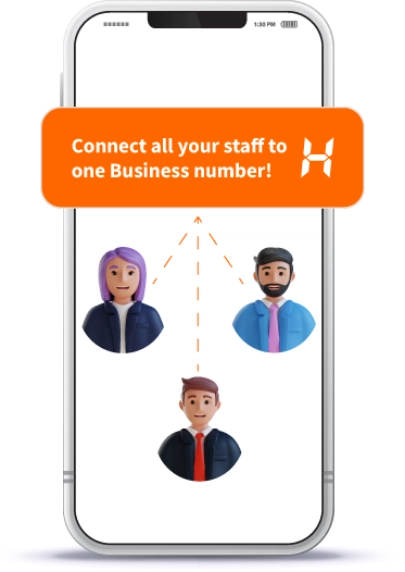
Business Owner who is looking for a
Single Number for them and their staff
A Service Business like a Salon, Tour
Operator or Health Clinic
Small Startups or Teams upgrading their
customer engagement
Note: Heyo is strictly for business usage only. Any use of Heyo for personal, scamming, phishing or other
vraudulent or non-business usage can lead to your account being blocked.
Checkout The Ratings Across All Platforms
For The No.1 Trusted and Secured Virtual Phone Number For Business


Heyo Lagega Toh Business
Badhega
IVR & WhatsApp. Start your free trial now!


Heyo FAQs
. Heyo Pro Plan, which is Rs.600/month allows 5 users (1 owner and 4 staff) with IVR and WhatsApp.
• Setting up a WhatsApp Business Account (WABA) is free. However, you will be charged for conversations based on Meta’s standard rates.
• Billing is determined by the type of template used to initiate the conversation, with the following charges:
Utility template: INR 0.308
Marketing template: INR 0.726
Service template: INR 0.29
• When a conversation starts, you can send unlimited messages for 24 hours.
• Additionally, each WABA account receives the first 1000 incoming conversations free of charge every month.
Step 2:- Login with Facebook to continue with your onboarding process
Step 3:- After successful Login, fill your Business Details & click on Create Whatsapp Business Account
Step 4:- Creating the WhatsApp Business Account will take some time
Step 5:- If WhatsApp Business Account creation fails you can tap on Retry to complete the process
Step 6:- Once your WhatsApp Business Account onboarding process is successfully completed, you can start interacting with your customers easily
• Here, you can add your business description, which will appear on your WhatsApp profile.
• Website and email details will be autofilled, and you can choose your business category.