
Never Miss A Customer Interaction with Heyo Phone’s Voicemail!
Unlimited Calls, Multiple Staff. Starts at Rs 300 per month
• Manage Voicemails after work hours
• Set up Professional Caller Tune
• Allows Automatic Call Distribution



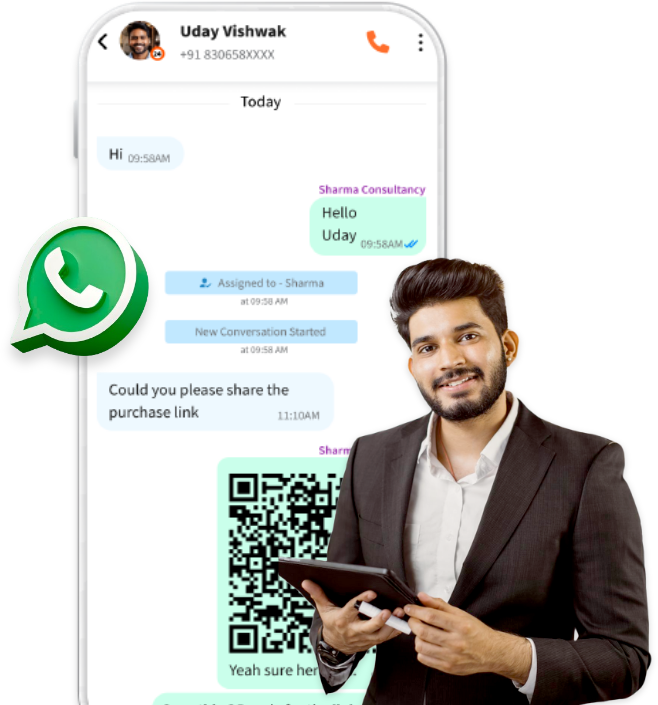
What is Business Voicemail?
when the executive is unavailable or unable to answer the phone. Business voicemail systems are
commonly used by organizations to manage incoming calls and ensure that important messages are
not missed. Heyo Phone is an excellent choice for business voicemails as it helps improve
communication efficiency and provide a professional means for callers to leave messages when direct
contact with the recipient is not possible.
Heyo Small Business Phone Number Features
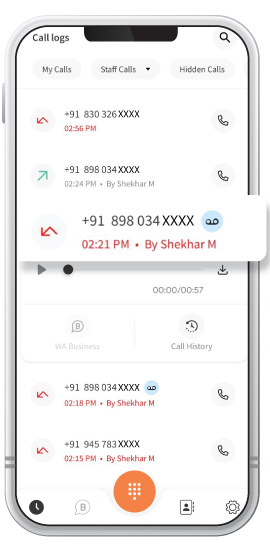
Voice Mail
When Staff is unavailable, customers can send a voicemail to the business phone number.
After Hours Voicemail
Customers can send their query even after the working hours by simply using the voice mail.
Professional Caller Tune
You can set up a professional caller tune in order to greet customers efficiently and look super professional.
Automatic Call Distribution
The admin and their added staff is eligible for Automatic Call Distribution through Sequential and Uniform methods of distribution.
Brand Identity
Create a unique Brand Identity with Business Caller Tune.
Parallel Calling
Heyo Phone allows 2 Parallel Calling options for 1 Channel Line to make call management easier for admin and added staff.
Everyday 1 million+ local business enquiries are made on Heyo. Are You Missing Out?



Why is the Heyo Smart Number the best choice for your business?
10X More Leads
Get more customer enquiries with a professional number and call distribution.
Turn your business into a brand
With a professional number, custom caller tune, higher google rating and sharable business card.
No missed calls
Ensure your business never misses a call with automatic call distribution
Zero Down-time
Best-in-class call connectivity. Keep your business running with Heyo’s assured 99.8% uptime
Monitor Staff
Monitor and track all of your staff performance with call analytics and reports
Increase Google Presence
Boost your rating on your Google my Business profile by linking it with Heyo.
How to Get a Smart Business Phone Number for Your Business ?
Heyo Phone Other Features For Business Communication & Growth
Call Recording
All calls are securely recorded & stored on cloud for quality checks and training.
Grow your business and get more leads with WhatsApp Business API integrated with Heyo.
Call Analytics & Tracking
Monitor your team closely with daily call analytics & tracking.
Business Caller Tune
Get professional with customized business caller tunes to greet your customers.
IVR
Set up and Manage your business calls easily with Heyo IVR system
Improve GMB Rating
Integrate your GMB profile with Heyo Phone for improved reviews & ratings.
Missed Call Alerts
Stay informed all the time with Heyo Phone missed call alert notifications.
Voice Mail
Never miss a customer interaction with the convenient voicemail feature.
Local Business Phone Number
Choose from a local DID number for your area without any additional SIM.
Who can use Heyo Phone?
Professional, Small Office or Agency or a
Retail Outlet
Businesses looking to increase their
customer enquiries
Business/Team with less staff to handle
multiple calls
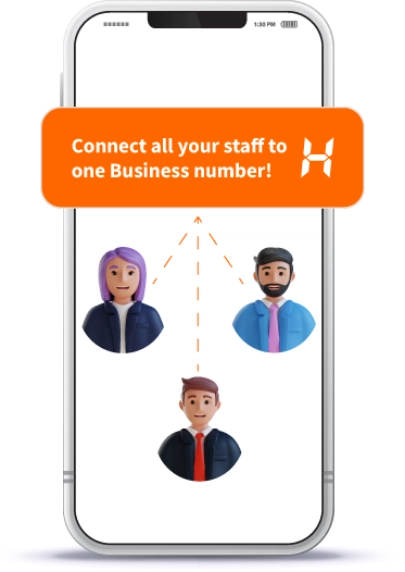
Business Owner who is looking for a
Single Number for them and their staff
A Service Business like a Salon, Tour
Operator or Health Clinic
Small Startups or Teams upgrading their
customer engagement
Note: Heyo is strictly for business usage only. Any use of Heyo for personal, scamming, phishing or other
vraudulent or non-business usage can lead to your account being blocked.
Checkout The Ratings Across All Platforms
For The No.1 Trusted and Secured Virtual Phone Number For Business



Heyo Lagega Toh Business
Badhega
IVR & WhatsApp. Start your free trial now!


Heyo FAQs
• This feature helps with important inquiries or messages that need to be captured even when the office is closed, allowing businesses to stay connected with their customers around the clock.
• Make sure your Heyo Phone app is updated to the latest version, as updates often include bug fixes.
• Also, verify that your device meets the app’s compatibility requirements and that Heyo Phone has the necessary permissions, such as access to microphone and storage.
• If these steps don’t resolve the issue, click on the link below https://applinks.heyophone.com/support for further assistance.
Step 2:- You will be able to see every incoming call received and missed.
Step 3:- The red marked calls have been missed due to unavailability of staff which automatically pushed the customer to drop a voicemail.
Step 4:- Tap on the ‘Play Voicemail’ button.
Step 5:- Now you can hear the complete message shared by your customer.
Please Note:- If no staff is available while a customer calls, then the customer needs to wait for a few seconds in order to send voice mail.
• Admins can utilize Automatic Call Distribution to distribute calls sequentially, where they are routed to available staff members in a specified order, or uniformly, spreading them evenly among all available agents at the moment.
• This capability not only reduces wait times for customers but also improves overall service quality by allowing quick and effective responses to inquiries or issues.
• It’s important to keep notifications enabled to receive missed call alerts for quickly responding to new voicemails, especially outside of regular business hours when staff may be unavailable.
• This feature improves customer service by allowing businesses to stay connected and responsive even when direct communication isn’t possible.
Step 2:- Tap on ‘Call & Staff’ in Settings.
Step 3:- You will get 2 options namely – ‘Play Welcome Message’ & ‘Manage Staff’.
Step 4:- Tap on ‘Play Welcome Message’ and type the text you want to use as a customized message.
Step 5:- Preview your message by tapping the ‘Speaker’ icon and ‘Update’ for the final result.
• There is no option to enable or disable this feature.