
Smart IVR Plan For Small Teams
Unlimited Calls, Multiple Staff at Rs 600 per month!
Add Multiple Departments & Agents
Get Multi Channels up to 3
Run WhatsApp API



What is Interactive Voice Response (IVR) System?
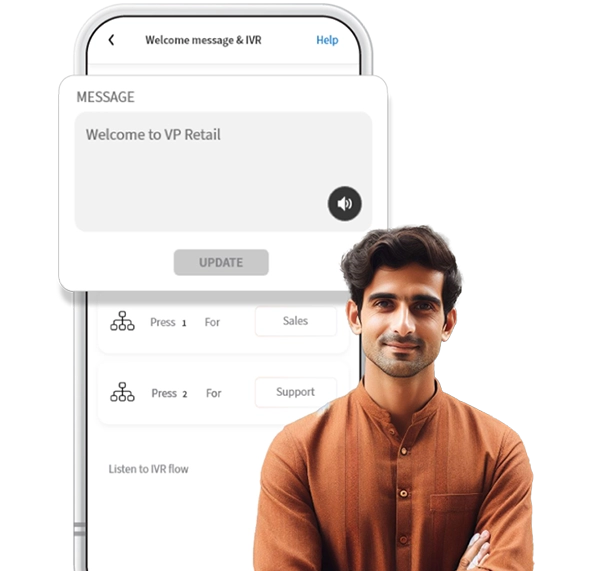
IVR (Interactive Voice Response) is a digital receptionist for your phone system. It’s the automated
voice you hear when you call a company and it gives you options like “Press 1 for sales, Press 2 for
support,” etc. IVR helps businesses manage incoming calls efficiently by routing them to the right
department or person without needing a human receptionist. It saves time for both the business and
the caller, making communication smoother, easier & faster. Heyo Phone’s IVR solution comes with a
customized welcome greeting message that allows you to look professional. It is the most simple &
affordable IVR solution a digital phone line can provide. It is cost effective & can run IVR within your
mobile system.
Heyo Phone IVR Solution Features
IVR Greeting Message
Set up a Custom IVR Greeting Message which helps greet your customers professionally.
2 IVR departments
You can set up to 2 IVR menus to guide callers to the appropriate department or agent.
Add Multiple Agents
You can add up to 5 members to assist customers effectively.
Easy Call Distribution
You can customize your IVR menu to distribute calls to the right agent.
Instant IVR Activation
You can easily Enable or Disable Heyo IVR by simple on/off toggle.
WhatsApp Integration
You can stay connected all time and get more leads with WhatsApp Business API integrated with Heyo.
Everyday 1 Million+ Local Business Enquiries
Are Made On Heyo. Are You Missing Out?



Why is Heyo Phone best choice for your business?
1 Number for IVR & WhatsApp
Boost efficiency with 1 number for all your IVR and WhatsApp business communications
Turn your business into a brand
With a professional number, custom caller tune, higher google rating and sharable business card.
10X More Leads
Get more customer enquiries with a professional number and call distribution.
Zero Down-time
Best-in-class call connectivity. Keep your business running with Heyo’s assured 99.8% uptime
Monitor Staff
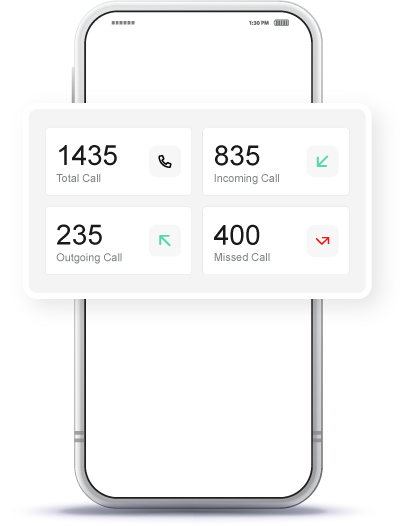
Monitor and track all of your staff performance with call analytics and reports
Increase Google Presence
Boost your rating on your Google my Business profile by linking it with Heyo.
Heyo Plans and Pricing
Heyo Pro plan
- IVR
- 5 Users
- Unlimited Calls
Small business plan
₹ 300 /month
- 5 Users
- Unlimited Calls
How to set IVR with Heyo Phone App?
Heyo Phone Other Features For Business Communication & Growth
IVR
Set up and Manage your business calls easily with Heyo IVR system
Grow your business and get more leads with WhatsApp Business API integrated with Heyo.
Call Recording
All calls are securely recorded & stored on cloud for quality checks and training.
Business Caller Tune
Get professional with customized business caller tunes to greet your customers.
Call Analytics & Tracking
Monitor your team closely with daily call analytics & tracking.
Improve GMB Rating
Integrate your GMB profile with Heyo Phone for improved reviews & ratings.
Missed Call Alerts
Stay informed all the time with Heyo Phone missed call alert notifications.
Voice Mail
Never miss a customer interaction with the convenient voicemail feature.
Local Business Phone Number
Choose from a local DID number for your area without any additional SIM.
Who Is Heyo Phone For?
Professional, Small Office or Agency or a
Retail Outlet
Businesses looking to increase their
customer enquiries
Business/Team with less staff to handle
multiple calls
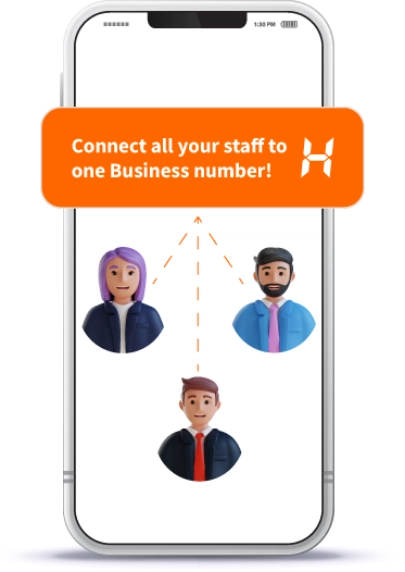
Business Owner who is looking for a
Single Number for them and their staff
A Service Business like a Salon, Tour
Operator or Health Clinic
Small Startups or Teams upgrading their
customer engagement
Checkout The No.1
Trusted and Secured
Small Business Phone Number Ratings Across All Platforms



Heyo Lagega Toh Business
Badhega
Get 5X more customer enquiries with Heyo IVR & WhatsApp. Start your free trial now!


Heyo FAQs
• An IVR (Interactive Voice Response) greeting message acts as a digital receptionist for your phone system. It’s the automated voice you hear when calling a business, providing options like “Press 1 for sales, Press 2 for support,” etc.
• This feature helps businesses manage incoming calls efficiently by routing them to the appropriate department or Agent without needing a human receptionist.
• It saves time for both the business and the caller, making communication smoother, easier, and faster.
• Heyo Phone’s IVR solution includes a customized welcome greeting message, enhancing your professional image.
• It’s a simple and affordable IVR solution that can be seamlessly integrated into your mobile system, providing cost-effective call management.
• Then click on ‘Play Welcome Message’ & ‘IVR’.
• You’ll find an option called IVR, which is turned off by default.
• Once you turn on IVR, you’ll be prompted to set up your departments.
• You can name them as Sales and Support or whatever you wish to name them by clicking on ‘Other’.
• After setting up your departments, you’ll have the option to customize your welcome message.
• Once everything is set up and you’ve enabled IVR, callers will be able to press 1 for Sales and 2 for Support when they call your business.
• If the IVR option is disabled, enable it.
• If you’re a Heyo Lite Plan user, you’ll be prompted to upgrade to the Heyo Pro Plan to use this feature.
• Heyo Pro Plan users will proceed to the next screen automatically.
• From there, choose the names of the departments you want to add, such as ‘Sales’ and ‘Support,’ or create custom names by clicking on ‘Other’.
• Tap on ‘Update’ to enable the IVR settings, then click the speaker button to listen to your IVR greeting.
• Finally, add your staff to the respective departments and start managing all business calls efficiently.
• There are no additional charges.
• With the Heyo Phone Pro Plan, which costs ₹600 plus GST, you can add up to 4 staff members to the IVR system, in addition to the admin, for a total of 5 users.
• However, with the Heyo Lite Plan at ₹300 plus GST, you won’t have access to the IVR feature, only a greeting message, and you’ll be limited to just 1 staff member, making it 1 Admin/Owner and 1 Staff.
• Tap on the IVR option to enable it.
• If you are on the Heyo Lite Plan, you will be prompted to upgrade to the Heyo Pro Plan.
• Once you upgrade, the IVR feature will be enabled immediately, allowing you to start adding multiple departments and managing your business calls efficiently.
• When adding new staff, you will be prompted to select their department.
• For existing staff members, you can assign them to specific departments by tapping on their name and ticking the check boxes at the bottom.
• This process ensures that calls are distributed effectively among your staff, allowing for better management and efficient handling of customer inquiries.
• On the other hand, Heyo Business Caller Tunes are customized audio messages that play for callers while they wait for the recipient to answer.
• This feature allows businesses to convey specific messages, promote branding, or provide useful information, enhancing the caller’s experience with personalized and professional greetings.
• This allows the staff to address the language-specific needs of their clients.
• Please note that the interface itself will continue to be in English only.
• It is cost effective, thus making it the best choice for any business.