
Share Your Number With Heyo Virtual Business Card To Look Professional!
Unlimited Calls, Multiple Staff. Starts at Rs 300 per month
• Virtual Business Card Sharable on Whatsapp
• Customize Your Business Card
• Identify Callers Easily



What is a Virtual Business Card?
physical card that is handed out or exchanged in person, a virtual business card exists in electronic
format and can be shared electronically through various means such as email, text messaging, social
media, or dedicated mobile apps. Virtual business cards typically include essential contact information
such as the individual’s name, job title, company name, phone number, email address, website URL, and
social media profiles. They may also include additional details such as a company logo, photo, or brief
bio. Inside the Heyo Phone Application you can easily customize your business card template and share
it on WhatsApp. You can commonly use them in networking situations, online interactions and digital
marketing efforts.
Heyo Phone Business Caller Tune Features
Business Card
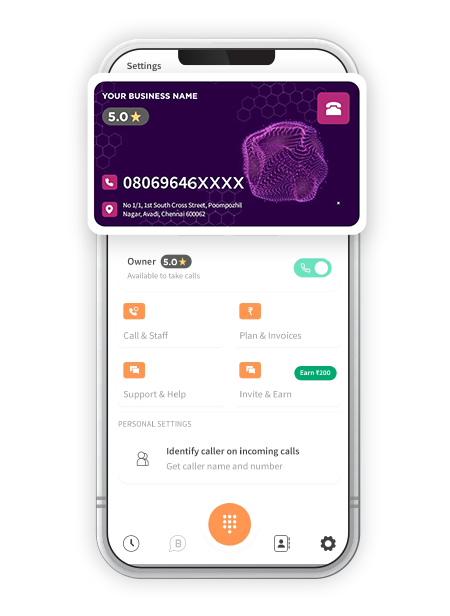
Get a Heyo Business Card by adding details of your business & appear more professional.
Share on WhatsApp
Grow your business & build a healthy customer relationship by sharing your Business Card on WhatsApp.
GMB Integration
Link your GMB profile with Heyo and Share customers reviews on GMB for improved business.
Customize for Business
Customize your Virtual Business Card as per your choice using multiple templates and look professional.
Identify Callers
Identify Callers at one go through Heyo Phone whenever a user calling to your business number
Business Caller Tune
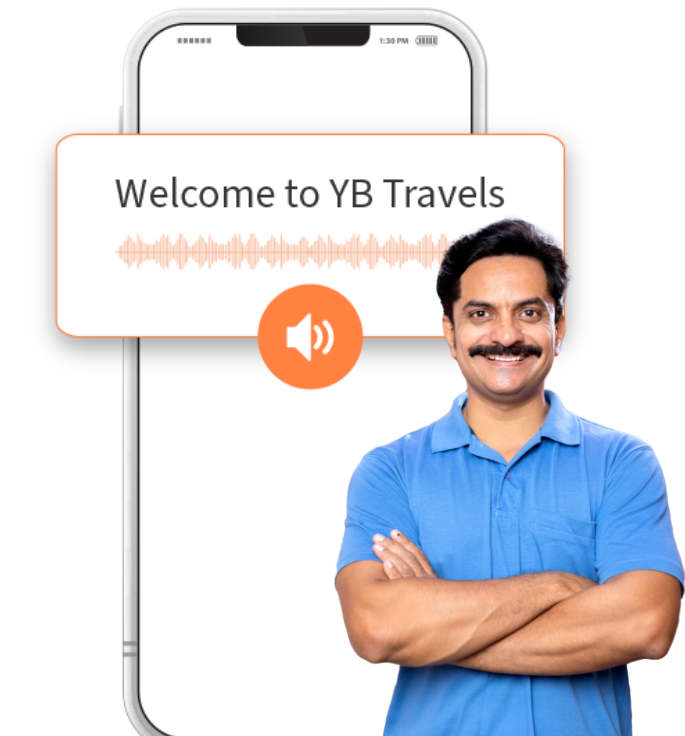
Create and set a Custom Greetings Message to welcome your customers.
Everyday 1 Million+ Local Business Enquiries
Are Made On Heyo. Are You Missing Out?



Why is the Heyo Smart Number the best choice for your business?
10X More Leads
Get more customer enquiries with a professional number and call distribution.
Turn your business into a brand
With a professional number, custom caller tune, higher google rating and sharable business card.
No missed calls
Ensure your business never misses a call with automatic call distribution
Zero Down-time
Best-in-class call connectivity. Keep your business running with Heyo’s assured 99.8% uptime
Monitor Staff
Monitor and track all of your staff performance with call analytics and reports
Increase Google Presence
Boost your rating on your Google my Business profile by linking it with Heyo.
How to Access the Virtual Business Card?
Heyo Phone Other Features For Business Communication & Growth
Call Recording
All calls are securely recorded & stored on cloud for quality checks and training.
Grow your business and get more leads with WhatsApp Business API integrated with Heyo.
Call Analytics & Tracking
Monitor your team closely with daily call analytics & tracking.
Business Caller Tune
Get professional with customized business caller tunes to greet your customers.
IVR
Set up and Manage your business calls easily with Heyo IVR system
Improve GMB Rating
Integrate your GMB profile with Heyo Phone for improved reviews & ratings.
Missed Call Alerts
Stay informed all the time with Heyo Phone missed call alert notifications.
Voice Mail
Never miss a customer interaction with the convenient voicemail feature.
Local Business Phone Number
Choose from a local DID number for your area without any additional SIM.
Who Is Heyo Phone For?
Professional, Small Office or Agency or a
Retail Outlet
Businesses looking to increase their
customer enquiries
Business/Team with less staff to handle
multiple calls
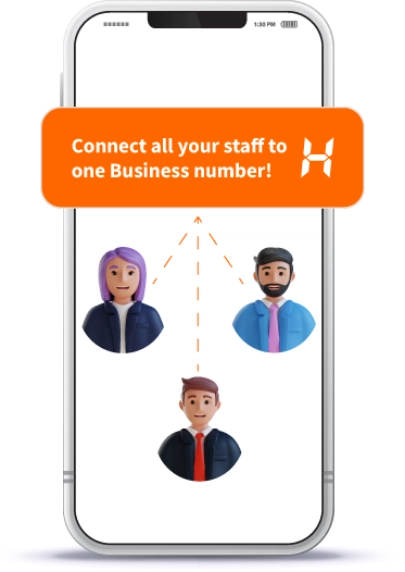
Business Owner who is looking for a
Single Number for them and their staff
A Service Business like a Salon, Tour
Operator or Health Clinic
Small Startups or Teams upgrading their
customer engagement
vraudulent or non-business usage can lead to your account being blocked.
Checkout The Ratings Across All Platforms
For The No.1 Trusted and Secured Virtual Phone Number For Business



Heyo Lagega Toh Business
Badhega
IVR & WhatsApp. Start your free trial now!


Heyo FAQs
• This digital card can be easily copied and shared via WhatsApp making it convenient for networking and maintaining professional interactions online.
• Once your card is ready, select the option to copy and share on WhatsApp, and send it to your desired contact or group.
• This allows you to easily share your professional details and grow your network.
• Simply input your information, select a design that fits your style, and save your customized card for sharing.
Step 2:- Click on Settings menu to view your Virtual Business Card.
Step 3:- You can Customize this Business Card according to your Template & Text preferences.
Step 4:- You can add details like – your Business Name etc., to the Business Card.
Step 5:- There is also an option to Copy and Share the Virtual Business Card on WhatsApp.
• If the problem continues, contact Heyo Phone customer support at https://applinks.heyophone.com/support for further assistance.
• This feature helps maintain confidentiality and ensures sensitive information remains secure within the organization.
You can access this feature by long pressing a call log and choosing the option to hide that particular call recording.