Automatically Track & Record All Your Team Calls With Heyo Phone!
Unlimited Calls, Multiple Staff. Starts at ₹300 per month.
• Auto-Record Incoming & Outgoing Calls
• Download Call Recordings With Single Click
• Monitor Staff Performance
• Hide Important Call Recordings From Staff



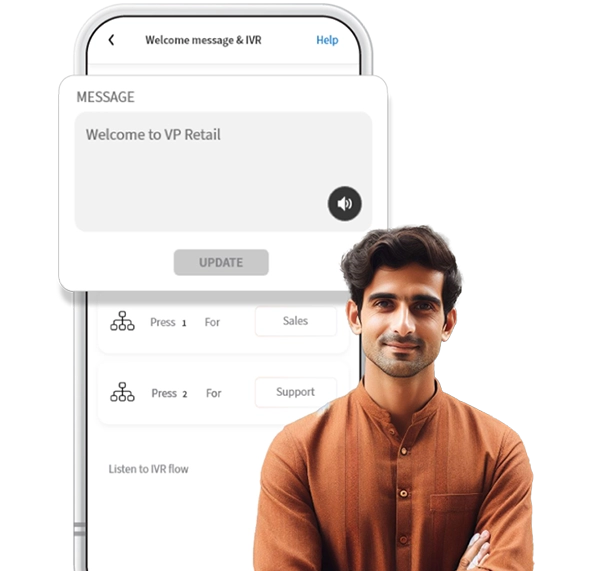
What is Business Call Recording?
Business Call Recording is a feature provided in advanced call management apps like Heyo. You get
a smart digital number for your business and the business call recording option allows you to record a
telephonic conversation between you and your customer. These business call recordings can be
reviewed, analyzed and used by the owner for various purposes in the future like monitoring employee
performance, quality assurance, resolving disputes and identifying areas of improvement in customer
interactions. Heyo Phone offers you this critical feature in the app and allows you to download every
business call recording along with the business owner/admin being able to hide and unhide these
recordings from their staff members.
Heyo Phone Call Recording Features
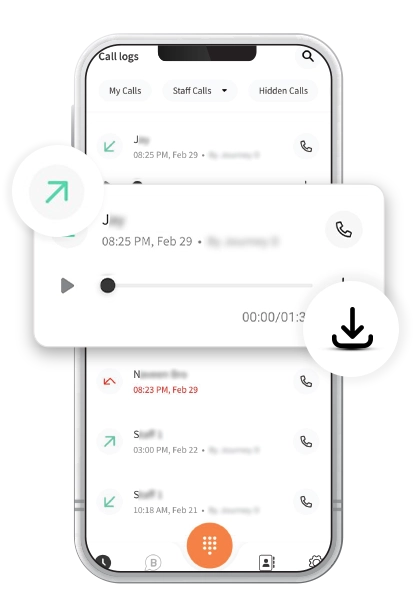
Download Call Recordings
Heyo Phone enables you to download every incoming/ outgoing call recording done by you and staff members.
Incoming Call Recordings
Heyo Phone allows you to record and download every incoming business call received by admin and added staff.
Outgoing Call Recordings
Heyo Phone enables you to record and download every outgoing business call made by admin and added staff.
Individual Staff Call Recordings
Heyo Phone enables admin to find individual staff call recordings by simply selecting them in the app.
Hide & Unhide Call Recordings From Staff
Heyo Phone enables the admin to hide call recordings from their team in order to maintain customer privacy.
All Call Recordings At One Place
Heyo Phone keeps all call recordings in a single place so that it’s easier to find every past call recording in one place.
Everyday 1 Million+ Local Business Enquiries
Are Made On Heyo. Are You Missing Out?



Why is the Heyo Smart Number the best choice for your business?
10X More Leads
Get more customer enquiries with a professional number and call distribution.
Turn your business into a brand
With a professional number, custom caller tune, higher google rating and sharable business card.
No missed calls
Ensure your business never misses a call with automatic call distribution
Zero Down-time
Best-in-class call connectivity. Keep your business running with Heyo’s assured 99.8% uptime
Monitor Staff
Monitor and track all of your staff performance with call analytics and reports
Increase Google Presence
Boost your rating on your Google my Business profile by linking it with Heyo.
How to Access Business Call Recordings with Heyo Phone App?
Heyo Phone Other Features For Business Communication & Growth
Call Recording
All calls are securely recorded & stored on cloud for quality checks and training.
Grow your business and get more leads with WhatsApp Business API integrated with Heyo.
Call Analytics & Tracking
Monitor your team closely with daily call analytics & tracking.
Business Caller Tune
Get professional with customized business caller tunes to greet your customers.
IVR
Set up and Manage your business calls easily with Heyo IVR system
Improve GMB Rating
Integrate your GMB profile with Heyo Phone for improved reviews & ratings.
Missed Call Alerts
Stay informed all the time with Heyo Phone missed call alert notifications.
Voice Mail
Never miss a customer interaction with the convenient voicemail feature.
Local Business Phone Number
Choose from a local DID number for your area without any additional SIM.
Who can use Heyo Phone?
Professional, small office or agency or a
retail outlet.
Businesses looking to increase their
customer enquiries
Business/Team with less staff to handle
multiple calls
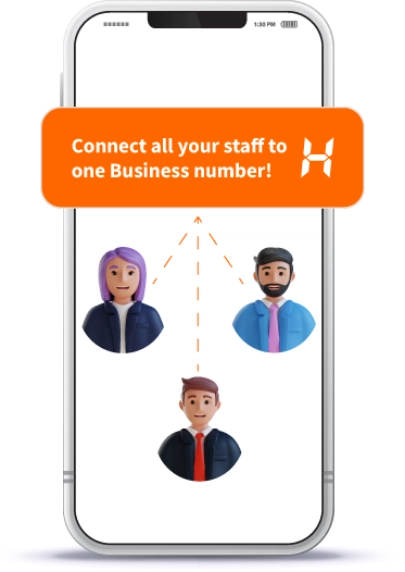
Business Owner who is looking for a Single Number for them and their staff
A Service Business like a Salon, Tour
Operator or Health Clinic
Small Startups or Teams upgrading their
customer engagement
Checkout The Ratings Across All Platforms
For The No.1 Trusted and Secured Smart Phone Number For Business


Heyo Lagega Toh Business
Badhega
Get 5X more customer enquiries with Heyo IVR & WhatsApp. Start your free trial now!


Heyo FAQs
• Yes, you can download call recordings directly within the Heyo Phone App.